OSHW Logo for Kicad PCB Milling
Last updated: March 1, 2012, 9:38 p.m.
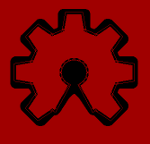
I've been tinkering with some simple PCB layout jobs in KiCAD over the last couple of weeks. (Hopefully they'll be worth posting here if I can get them finished!) One of these boards is probably going to be cut out on a PCB mill, so it's not going to have a solder mask or silk screen. I wanted to still have the Open Source Hardware logo, there's a big selection available at http://www.oshwa.org/open-source-hardware-logo/ including downloadable modules for KiCAD but they're all silk screen logos, so I went about creating a copper only logo.
My solution is 22 pads with various arbitrary rotations and all are trapeziods. It was remarkably easy to do with the current KiCAD, although I did hack a little python script to scale it to a sensible size in post processing. I may make some bigger ones but this is 10mm across which is a pretty big hole to poke in a ground pane on most boards. Download at the bottom of the page.
Comments
If you want to discuss this article you can reach me via email.